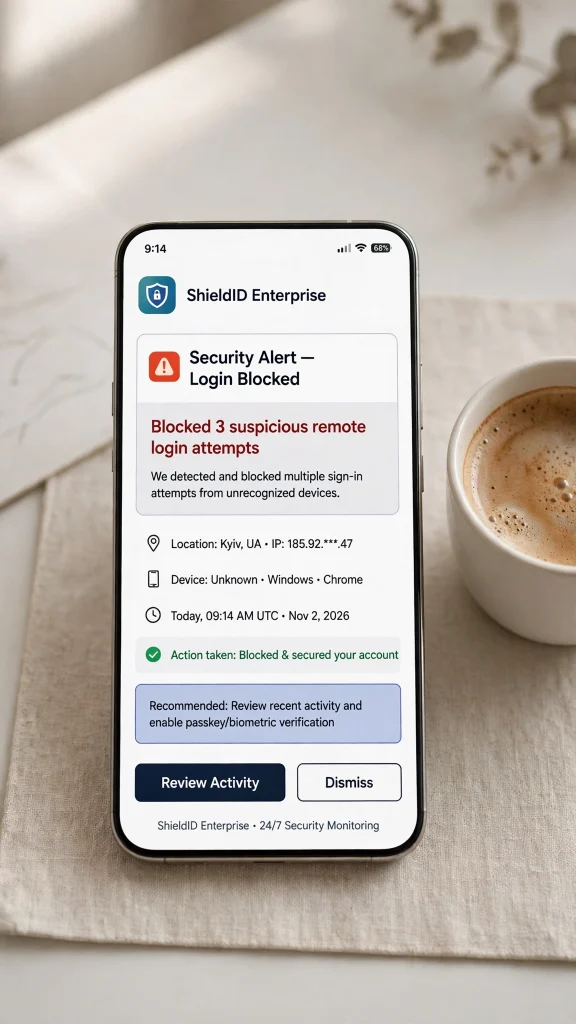
VPN Security Checklist: Protecting Remote Workers From Credential Theft
The modern perimeterless workforce has made Virtual Private Networks (VPNs) the literal keys to the corporate kingdom. Unfortunately, threat actors know this all too well. VPN credential abuse and unpatched gateway vulnerabilities remain among the most common and devastating initial access vectors for ransomware gangs and advanced persistent threat (APT) groups. When remote workers use compromised credentials or connect through outdated appliances, organizations face immediate breaches that bypass traditional perimeter defenses.

Securing your remote workforce requires a rigorous, multi-layered strategy that goes beyond basic username and password combinations. To help security teams harden their infrastructure, we have compiled an actionable 10-point VPN security checklist designed to block credential theft, eliminate blind spots, and protect your enterprise from catastrophic ransomware intrusions.
1. Implement Phishing-Resistant Multi-Factor Authentication (MFA)
Standard SMS-based or push-notification MFA methods are increasingly vulnerable to sophisticated adversary-in-the-middle (AiTM) phishing attacks and prompt fatigue. Transition immediately to phishing-resistant MFA, such as FIDO2/WebAuthn hardware security keys or passkeys. These cryptographic standards bind authentication directly to the legitimate domain, rendering stolen session cookies and intercepted OTP codes completely useless to attackers.
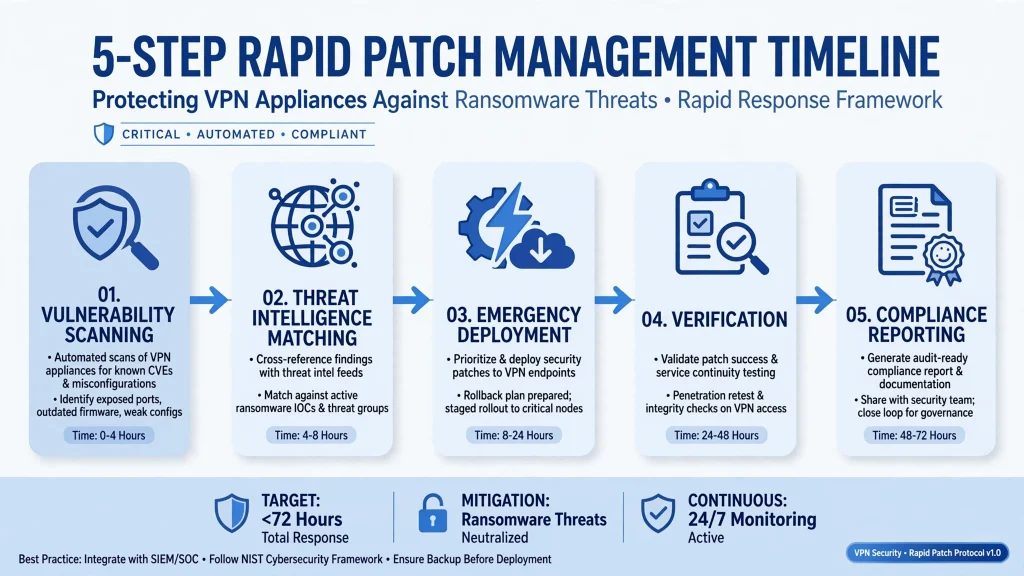
2. Enforce Rapid Patching of VPN Appliances
Virtual private network gateways sit directly on the internet edge, making them prime targets for zero-day exploits. Attackers constantly scan for unpatched firmware vulnerabilities in popular enterprise VPN appliances. Establish an emergency patching SLA that mandates deploying critical security updates within 24 to 48 hours of release. Automated vulnerability scanning should be integrated continuously into your perimeter asset inventory.
3. Automate Session Termination After Incidents
When suspicious activity, anomalous behavioral shifts, or credential rotation events occur, security operations centers (SOCs) must act instantly. Configure automated orchestration (SOAR) workflows to forcefully terminate active VPN sessions across all gateways. Revoking tokens and killing existing tunnels prevents lateral movement before adversaries can pivot deeper into internal network segments.
4. Adopt Strict Least-Privilege Network Access
Giving remote workers flat network access once they authenticate through a VPN is a recipe for disaster. If a single employee's credentials are stolen, attackers gain free roam of the entire internal network. Implement micro-segmentation and least-privilege access rules, ensuring that users can only communicate with the specific applications and database resources required for their explicit job roles.
5. Lock Down and Isolate Administrator Pages
Exposing VPN management interfaces, web portals, or administrative consoles directly to the public internet is an invitation for brute-force attacks and credential stuffing. Restrict administrator access to management pages so they are exclusively reachable via secure internal management networks, jump hosts, or strict Zero Trust Network Access (ZTNA) policies with client certificate authentication.

6. Monitor Continuously for Suspicious Logins
Visibility is your first line of defense against credential stuffing and brute-force attempts. Deploy User and Entity Behavior Analytics (UEBA) and SIEM tools to monitor VPN login logs in real time. Flag anomalous login indicators such as impossible travel velocity, unusual login hours, requests from known anonymous VPN/Tor exit nodes, or sudden spikes in failed authentication attempts followed by a successful logon.
7. Integrate Strict Device Health and Posture Checks
Allowing unmanaged, personal, or malware-infected home devices to connect directly to corporate networks via VPN introduces immense risk. Enforce device posture validation before granting connection approval. Check for active, up-to-date endpoint detection and response (EDR) agents, fully patched operating systems, encrypted hard drives, and valid corporate domain membership.
8. Establish Proactive Credential Rotation and Monitoring
Credential theft often begins silently on dark web forums and credential dumps long before an attacker attempts to log into your VPN. Regularly check enterprise identity provider directories against known breached credential databases. Enforce automated credential rotation policies when suspicious employee behavior is detected or after standard operational intervals.
9. Transition Toward Zero Trust Network Access (ZTNA)
While traditional VPNs tunnel entire traffic streams, modern security architecture favors Zero Trust Network Access. ZTNA continuously verifies user identity and device context for every single application connection request, rather than trusting the user once at the network perimeter. Migrating critical workloads away from legacy VPNs drastically reduces your exposed attack surface.
10. Conduct Regular Security Audits and Penetration Testing
Even the most meticulously designed security controls require validation through rigorous testing. Partner with third-party red teams to perform targeted penetration tests and credential-stuffing simulations specifically against your remote access gateways. Routine audits help uncover misconfigurations, stale service accounts, and overlooked policy gaps before threat actors exploit them.
Comparative Overview of Remote Access Security Models
| Security Feature | Legacy VPN Architecture | Modern Zero Trust / Hardened VPN |
|---|---|---|
| Authentication | Passwords + SMS / Push MFA | FIDO2 / WebAuthn Phishing-Resistant MFA |
| Network Access | Flat, full network visibility | Micro-segmented, least-privilege access |
| Device Posture | Minimal or optional checks | Continuous validation via EDR |
| Admin Interfaces | Often exposed to public internet | Isolated behind jump hosts / ZTNA |
| Monitoring | Basic authentication logs | Advanced UEBA and automated session termination |
Conclusion
As remote work continues to anchor modern business operations, threat actors will persistently target VPN gateways and employee credentials as their primary pathways into enterprise networks. By rigorously implementing this ten-point checklist—ranging from phishing-resistant authentication and rapid appliance patching to granular least-privilege access and continuous posture monitoring—security teams can drastically neutralize credential theft risks. Proactive hardening ensures that your remote workforce remains a resilient engine for productivity rather than an open door for ransomware syndicates.